Screens throughout are from the current early-access build. Names and client data shown are illustrative.
It begins with a single timesheet. Every approved hour flows through to staffing, delivery status and billing — the actual lifecycle of a services engagement, in one place.
Screens throughout are from the current early-access build. Names and client data shown are illustrative.
Everything below reads from the same approved-time record. That's the whole design: there is no second dataset to reconcile against, because there is no second dataset.
A daily grid rather than one blank weekly total, so a week can hold several projects and the split is real. Billable and non-billable are separated at entry, and every hour carries the project and task it belongs to — which is what makes everything downstream traceable.
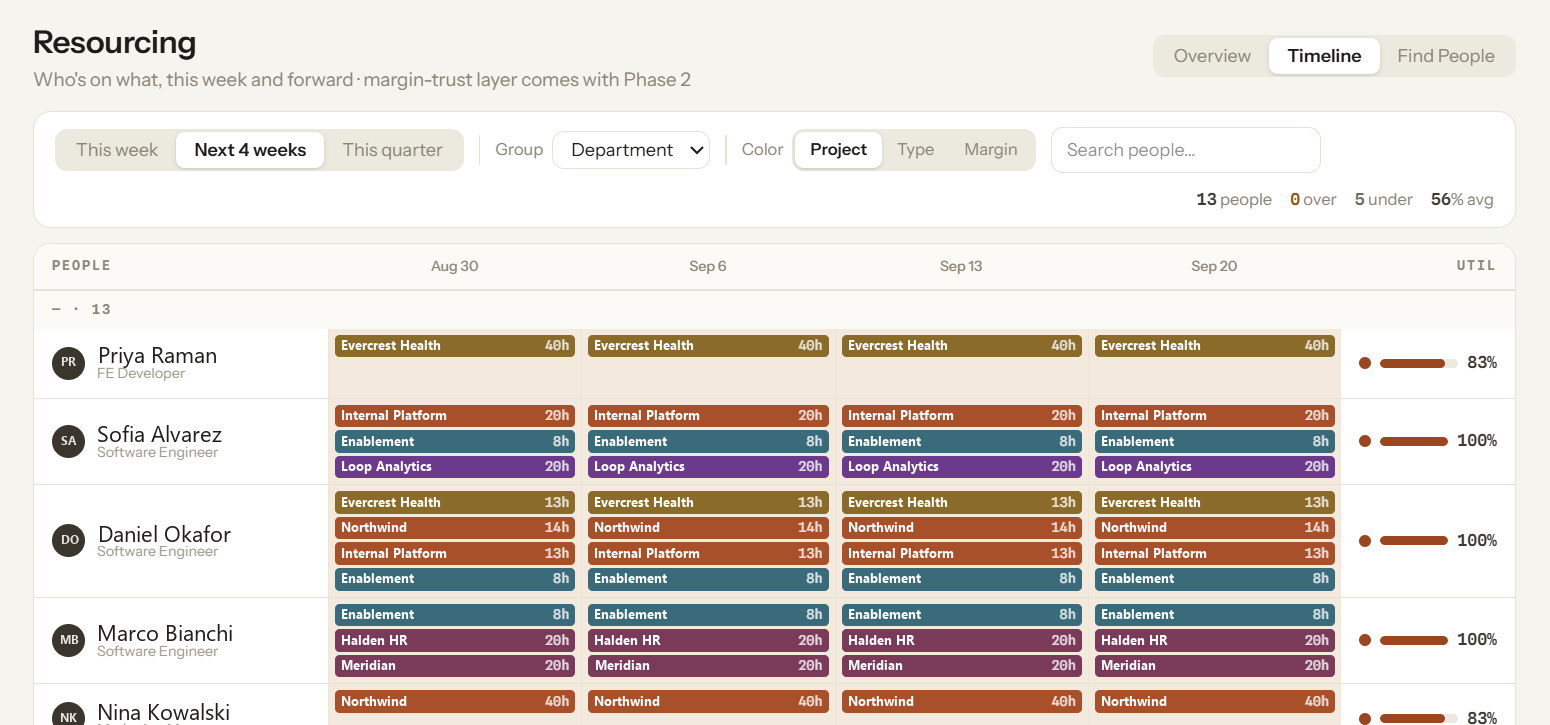
Every allocation on one timeline, grouped by department, project or margin. Utilization is computed per person from the same approved hours finance works from, so over- and under-allocation show up as numbers instead of hunches — and a tentative hold never quietly becomes a billed commitment.
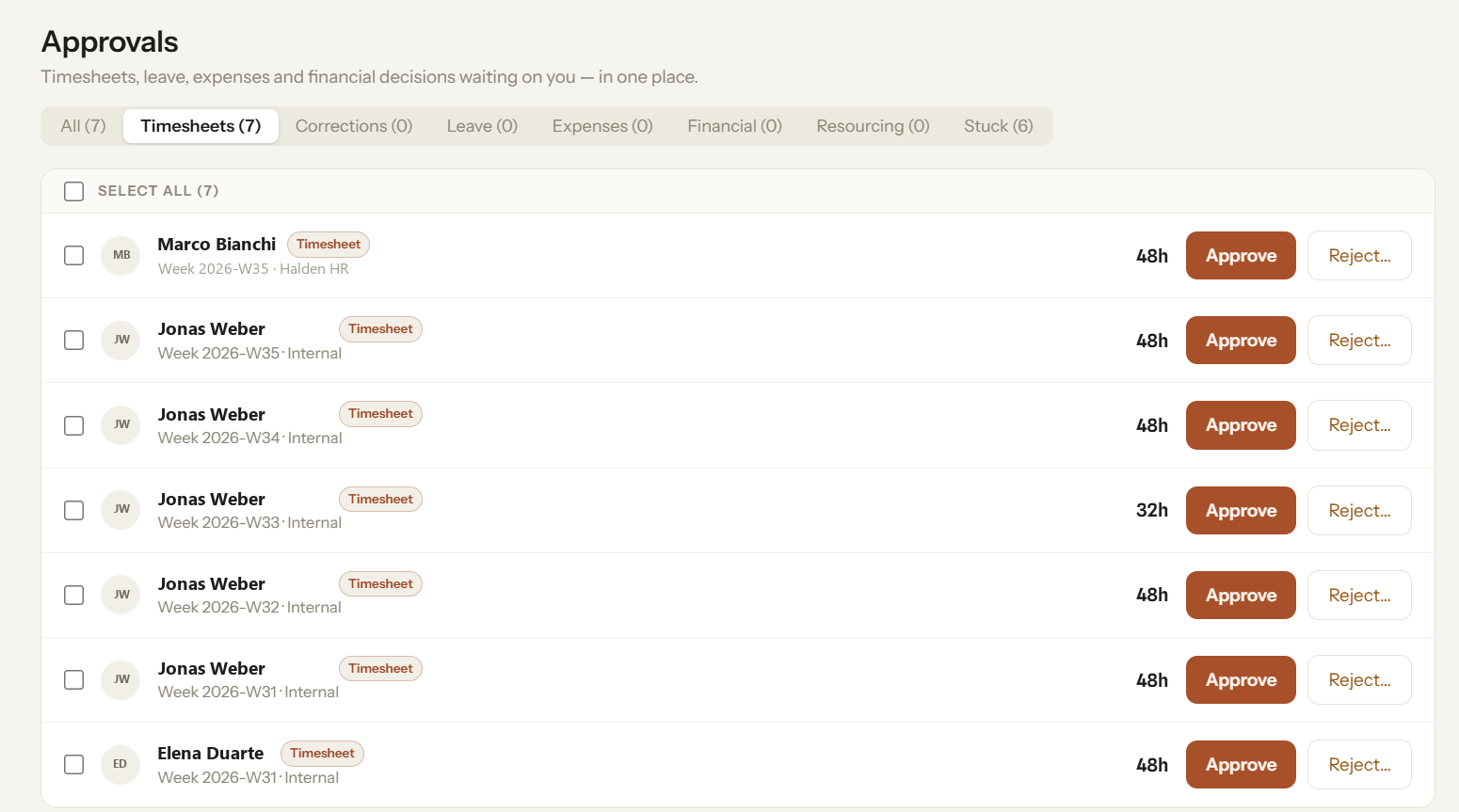
Timesheets, corrections, leave, expenses, financial decisions and resourcing requests share a single inbox, with a separate tab for anything that has been sitting too long. Approve in place, or reject with a reason that routes back to the person who submitted it.
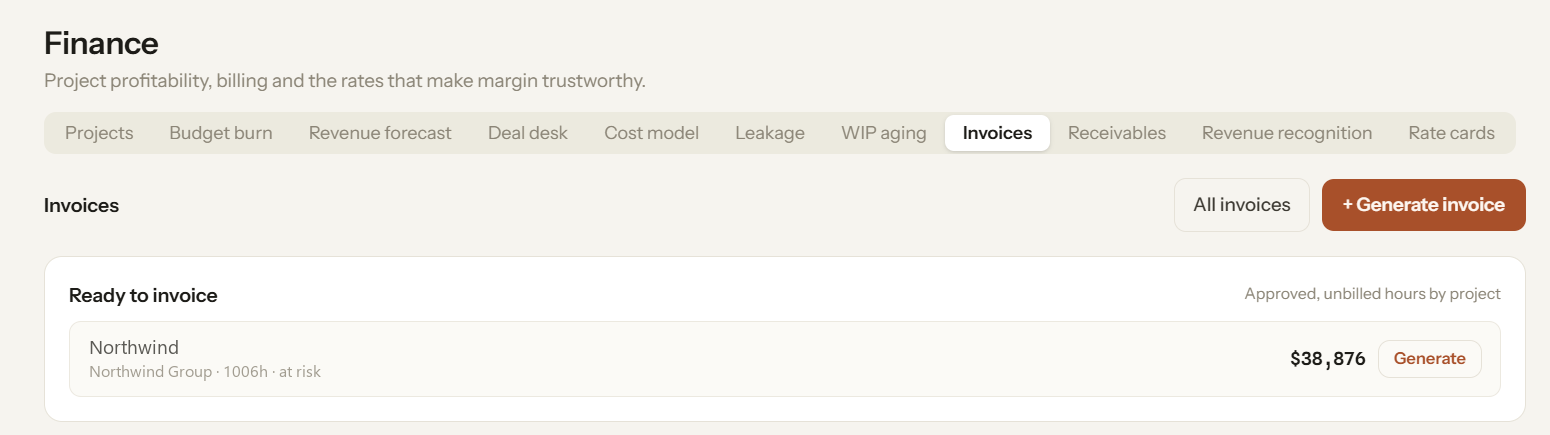
Approved but unbilled hours are grouped by project and client, so "what can we invoice right now" is a number on the screen rather than a month-end reconciliation. Generate, and each line traces back to the timesheet it came from — a client query becomes a lookup instead of an investigation.
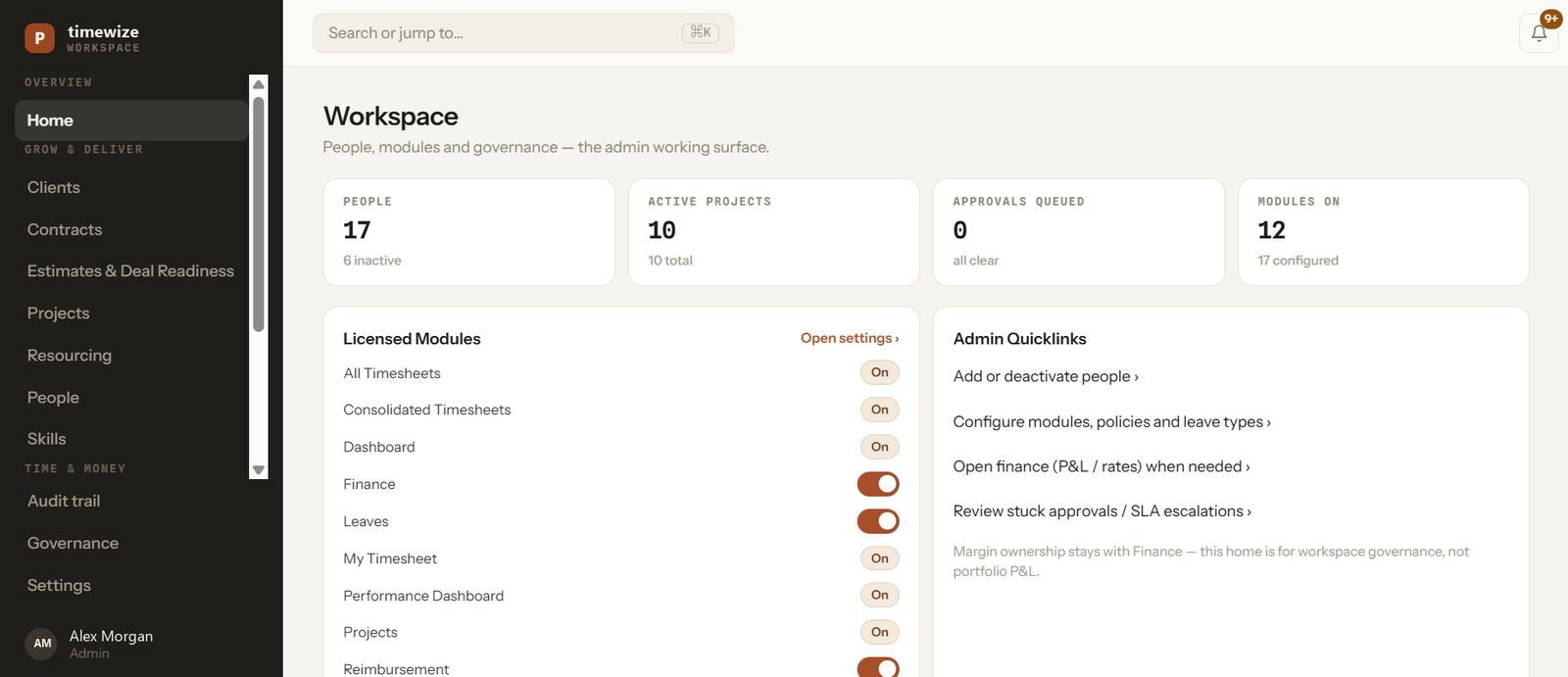
Modules are toggles in Settings, and they change what your team can reach. Three are always on because nothing works without them.
Daily capture with a real approval cycle. The input everything else reads from.
Scope, budget and timeline on the engagement itself, not in a spreadsheet.
Live counts rather than a stale export — people, active projects, queued approvals.
Capacity planning and the staffing board — soft and hard bookings kept distinct.
Project P&L, rate cards and the margin-trust layer.
Generate and send client invoices from approved, unbilled hours.
Requests, balances and policies — feeding the same capacity picture.
Expense claims and reimbursement approvals alongside time.
Skill catalog, team matrix and project matching.
Forward-looking risk scoring and a watchlist.
A floating start/stop tracker for people who work that way.
Deeper dashboards and delivery-risk scoring on top of the same data.
Client-facing status and budget visibility.
Documentation and handoffs, connected to delivery.
We label the roadmap as roadmap. The three modules above are not built yet, and we won't sell them as though they are. If a capability matters to your decision, ask on the demo and we'll tell you straight whether it's live, in progress, or a plan.
A working demo on the live build — not a slide deck.